Cloud printing finally made easy.
PrintFlow connects your printers to the cloud, automating print jobs from any source and eliminating manual processes, driver issues, and network bottlenecks.
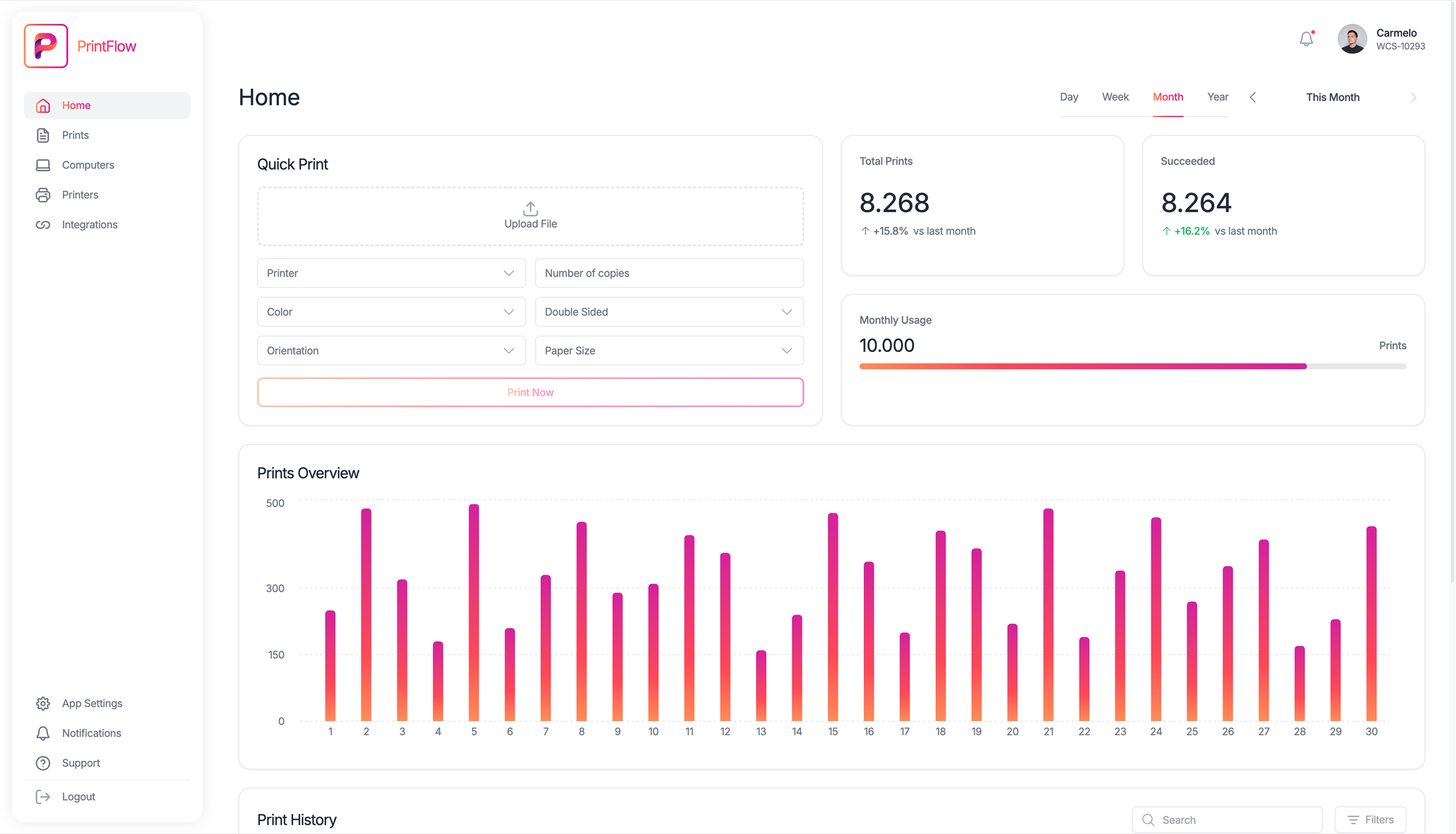
Trusted by e-commerce, print centers, and real-time businesses.
99.9%
Uptime
10K+
Automated prints per day
100+
Connected devices per client
Smart Presets
Powerful presets that make errors impossible.
Define every print detail once: printer, paper size, copies, orientation, and eliminate manual errors forever. Your team just picks a preset and clicks print.
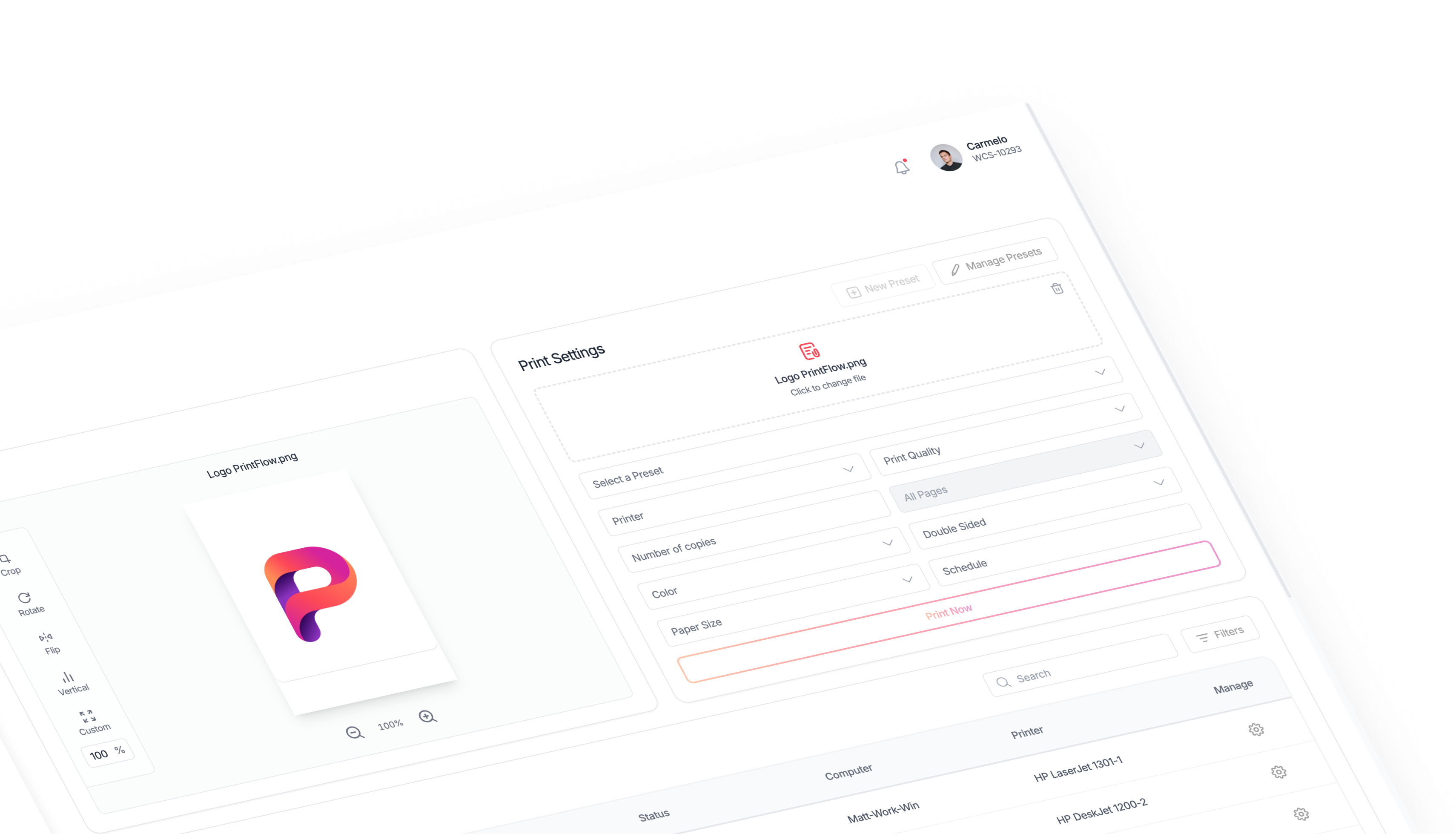
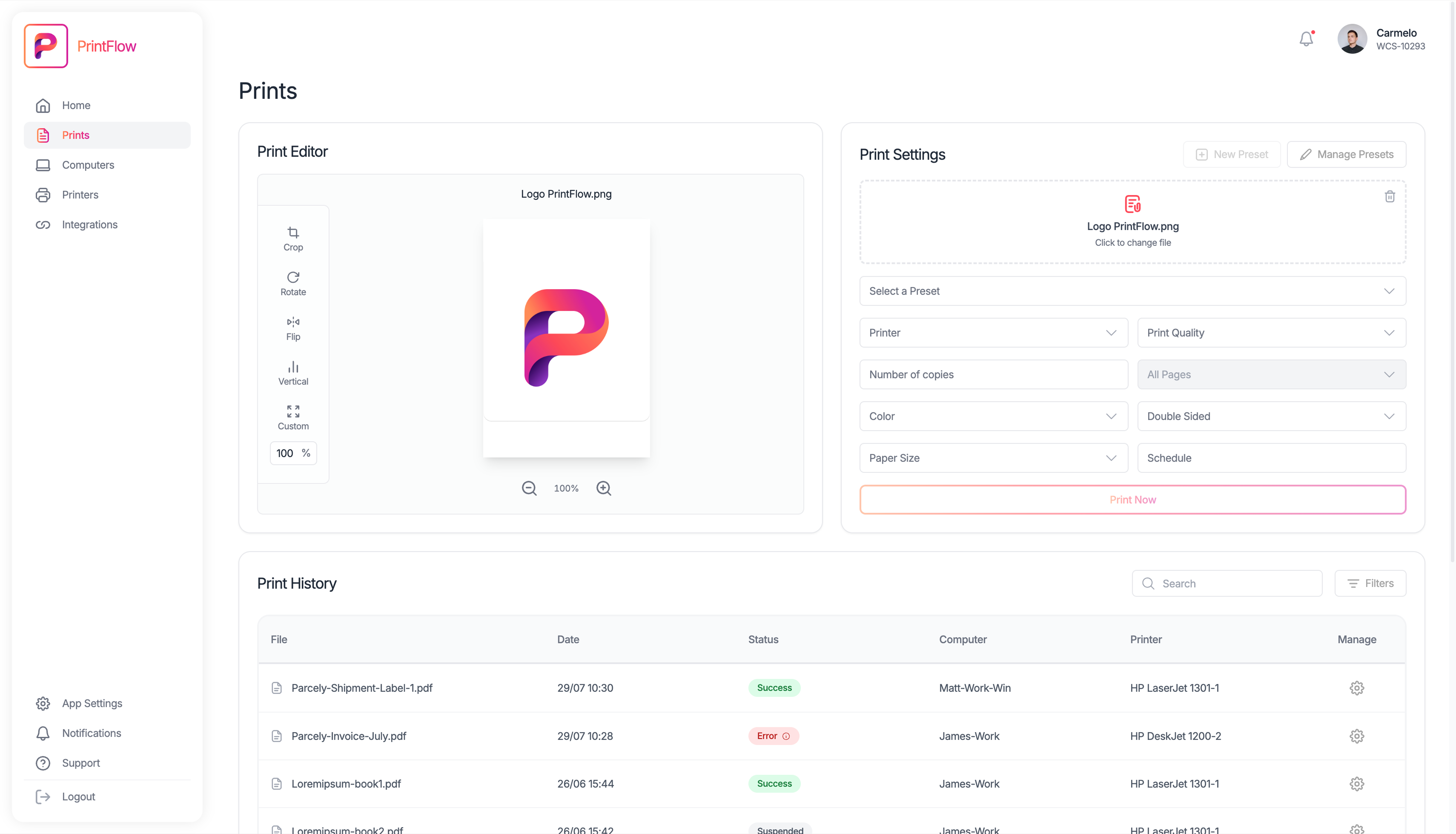
Print Editor
Full control
before you hit print
Eliminate guesswork and waste. Visually crop, rotate, scale, and preview your documents in real-time.
Visual Cropping
Visually crop sections to print only what you need, eliminating wasted paper.
Real-time Preview
Instantly preview changes like orientation, paper size, and scaling before sending to print.
Zero Waste Printing
Eliminate printing errors and reduce waste by seeing exactly what will print.
More Features
The command center for your entire print workflow.
PrintFlow is packed with features designed to eliminate complexity and automate your entire printing workflow, from device management to real-time monitoring.
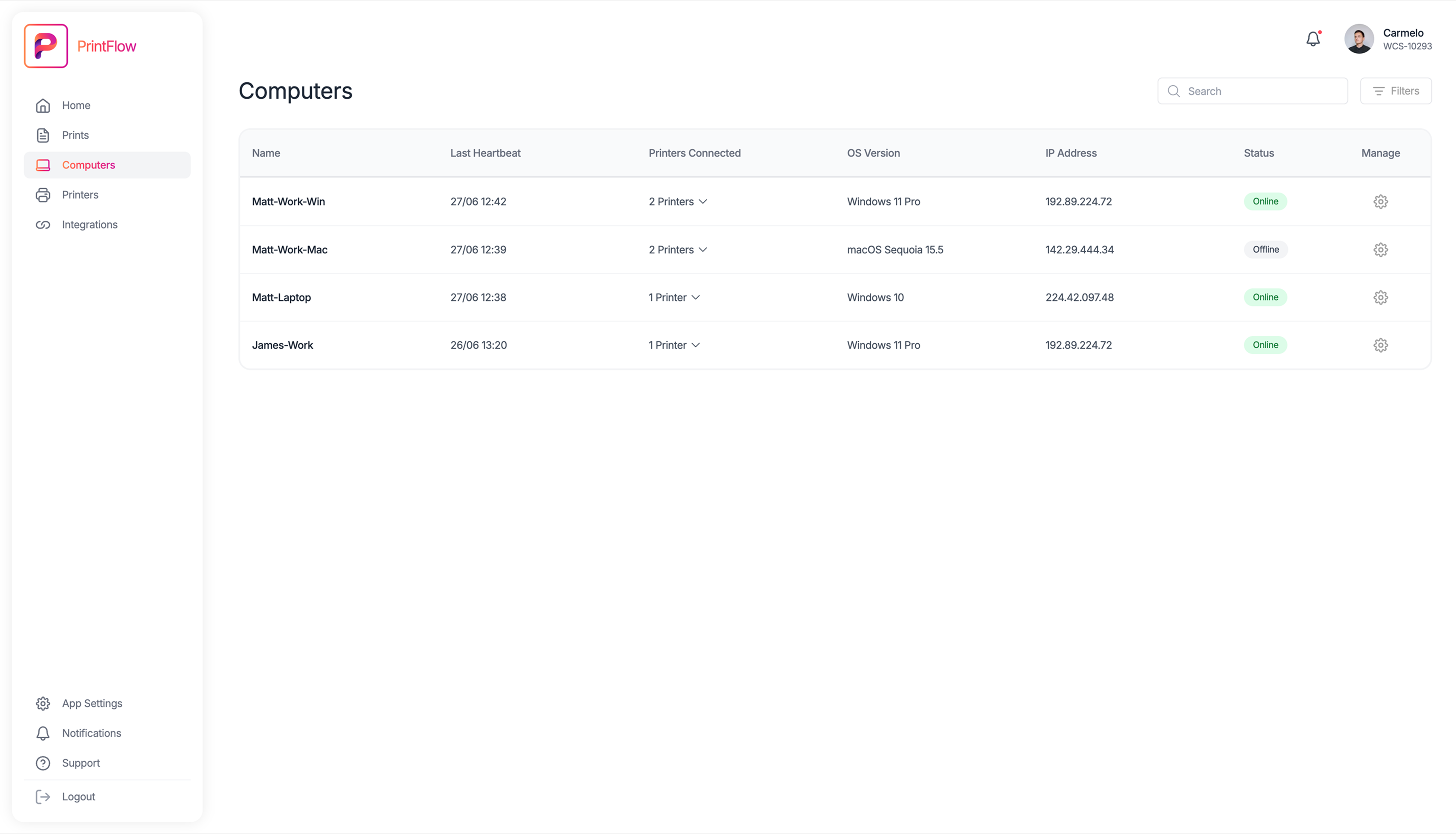
Manage devices with unmatched simplicity
PrintFlow lets you connect, monitor, and control every printer and computer from a single clean interface, wherever they are.
Add or remove printers and computers in one click.
See connection status and queued jobs in real time.
Automatic fallback when a printer goes offline.
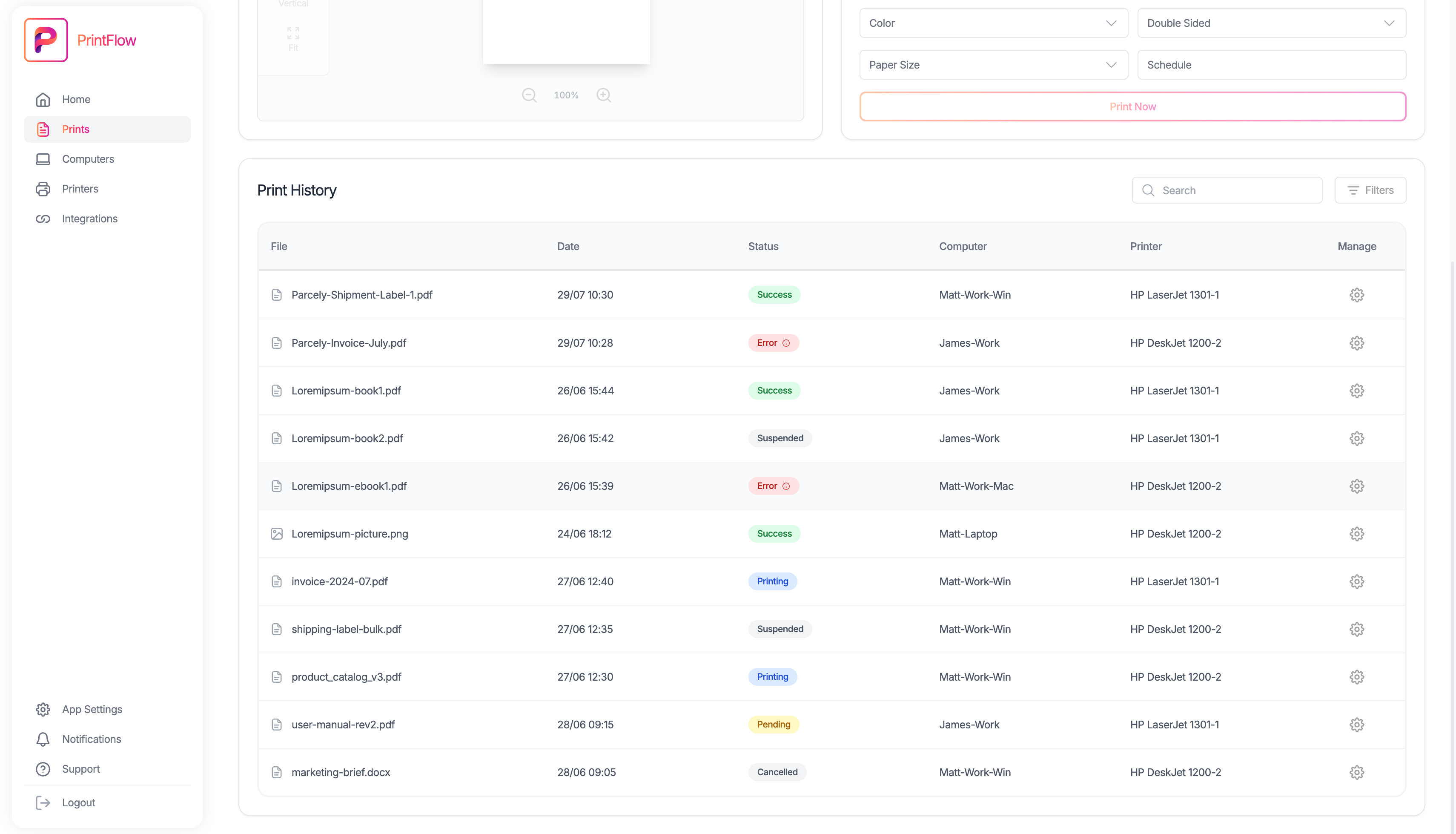
Smart monitoring and reporting in real time
Every print job is tracked with precision: credits, logs, errors, and printer activity are recorded and displayed in your dashboard instantly.
Get instant alerts on jobs, printers, or queues.
Program jobs with extreme precision.
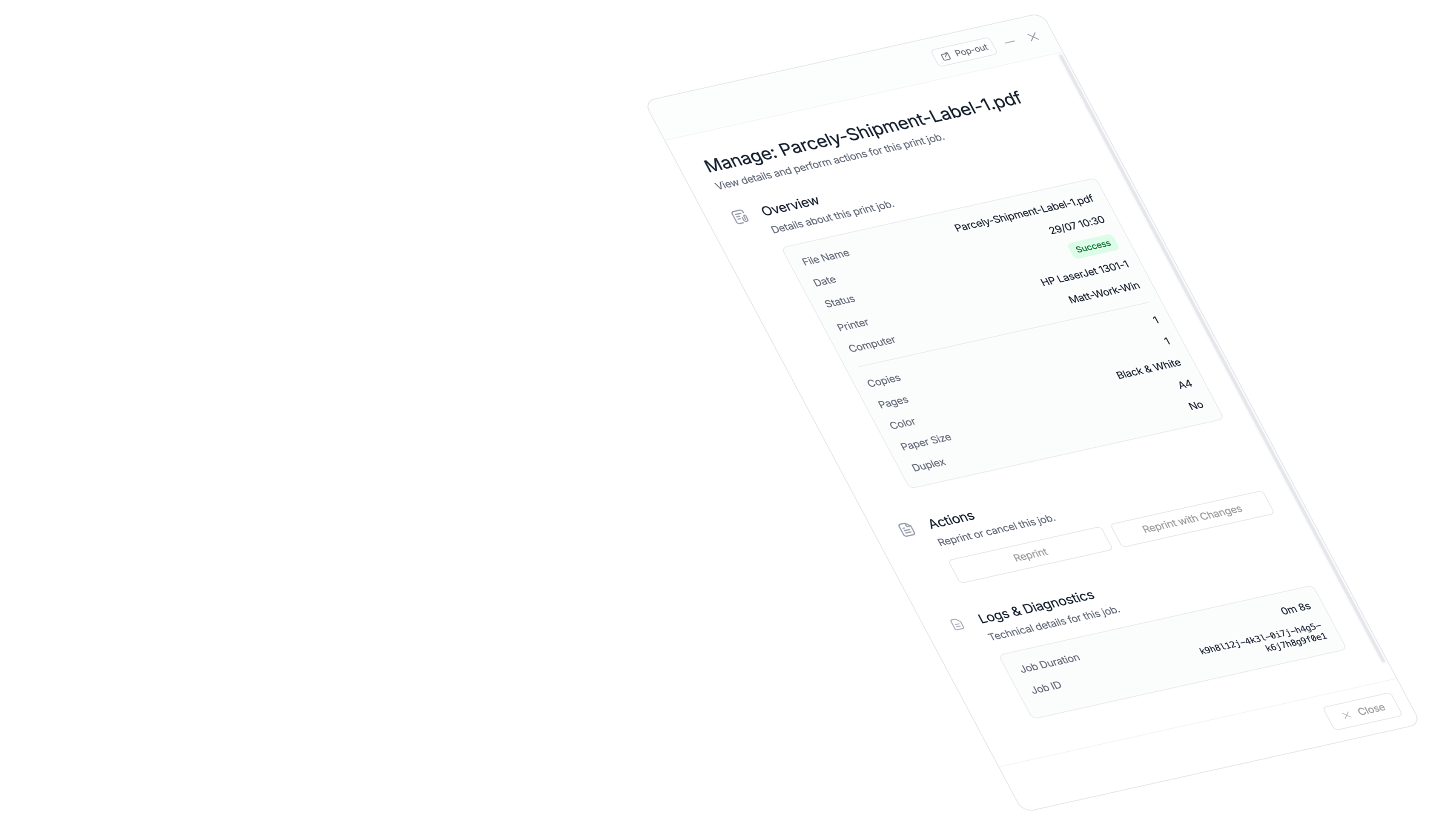
Access complete print history for auditing and analysis.
Get PrintFlow and more with Web Creation Suite.
By creating a Web Creation Suite account, you not only unlock powerful cloud printing but also gain access to an entire ecosystem of tools designed to work together and automate your business.
Integrations
Connect the tools you already use.
Automate your workflow from end to end by connecting PrintFlow with your favorite e-commerce platforms, marketplaces, and automation tools.
How It Works
A cloud system that coordinates everything automatically.
PrintFlow simplifies the entire printing lifecycle into a seamless, automated workflow.
Access & Launch PrintFlow
Log in to Web Creation Suite and open PrintFlow. The dashboard loads instantly, showing all your connected computers and printers.
Install Agent & Register Computers
Install the PrintFlow Agent on your local machines. Each one connects securely to the cloud and becomes available for remote printing.
Create Presets & Rules
Define presets for every detail: printer, paper size, copies, and layout. Operators just pick a preset and start printing instantly.
Upload & Queue Files
Upload files or send them via API. Choose the right preset and queue your jobs for instant or scheduled printing.
Track & Confirm
View print progress, logs, and activity in real time. Every job is tracked for full visibility and accountability.
Ready to streamline your printing?
Stop struggling with drivers and manual settings. Experience the power of cloud printing automation today.
Pricing
Pricing launches with GA.
We are finalizing plans for PrintFlow, Parcely, and the full suite. Join the waitlist to lock early-access invites and founder pricing as soon as we launch.
Frequently asked questions
Setup is simple. You install a lightweight agent on a computer connected to your printers. The agent securely connects to your PrintFlow account, and your printers appear on your dashboard instantly. The entire process takes about 3 minutes.
Yes. PrintFlow is compatible with any printer that has a Windows, macOS, or Linux driver. This includes thermal label printers (like Zebra, Dymo), laser printers, inkjet printers, and large-format plotters.
Our plans are credit-based. One credit equals one successfully printed page. You purchase a credit bundle, and they are deducted as you print. Credits never expire, and you can top up anytime. This ensures you only pay for what you use.
PrintFlow is designed for reliability. Our agent has an intelligent queuing system. If your internet connection drops, print jobs are securely cached locally. Once the connection is restored, the queue automatically syncs and printing resumes without data loss.
Absolutely. All communication between your printers and our cloud is protected with end-to-end TLS encryption. Your documents are encrypted at rest and in transit, adhering to modern security best practices.